
VAT-Books itself does not support Making Tax Digital for VAT (MTDfV) for submitting VAT returns. This page explains how you can use Bookkeeping.Today for MTDfV while still using VAT-Books for your day-to-day bookkeeping. You will need to create an account at Bookkeeping.Today.
The basic idea is to enter one purchase and one sale into Bookkeeping.Today so that the VAT return shows the correct numbers.
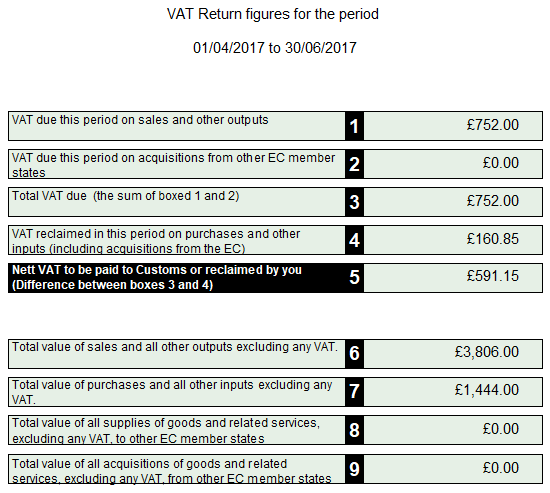
So below is a VAT Return report produced by VAT-Books. We’ll refer to these numbers later on.
First I’ll add the sales data. Here it is in Bookkeeping.Today as a single output:
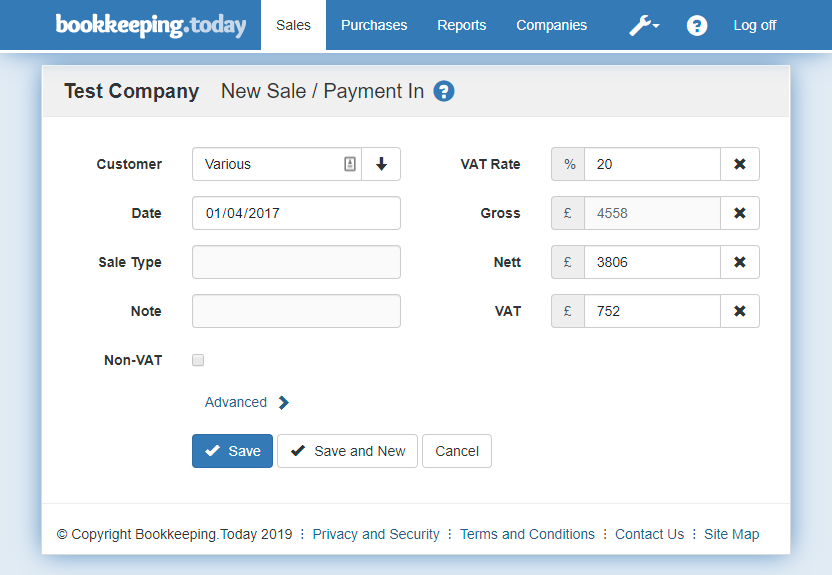 I’ve filled in the Nett amount from box 6 of the VAT return, and the VAT amount from box 1 of the VAT return. The VAT Rate and Gross aren’t important. The Date is within the VAT period for the VAT return. It would be good to add a Note to describe the transaction, for example “Q2 2017 income”.
Next we’ll add an input like this:
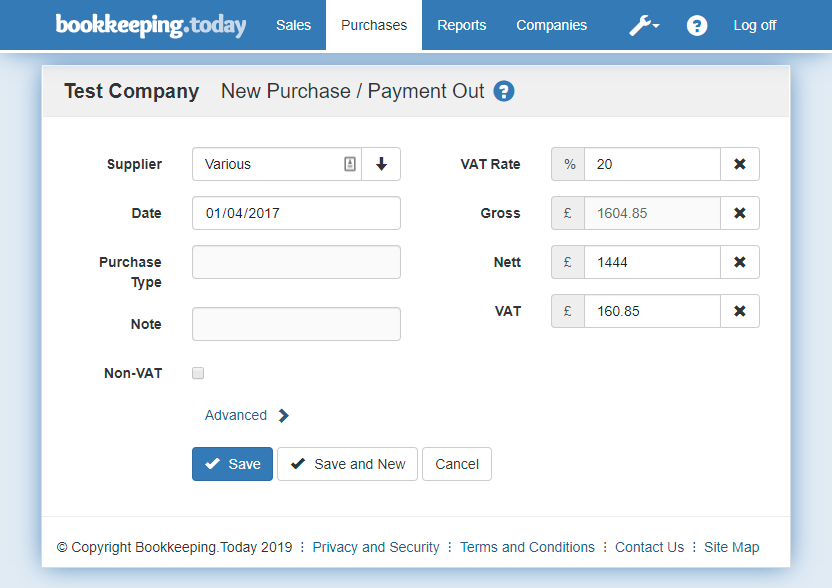
This is very similar. I’ve filled in the Nett amount from box 7 of the VAT return, and the VAT amount from box 4 of the VAT return. The VAT Rate and Gross aren’t important. The Date is within the VAT period for the VAT return. You could add a Note to describe the transaction, e.g. “Q2 2017 costs”.
If you run a VAT Return report on Bookkeeping.Today now you will see the following:
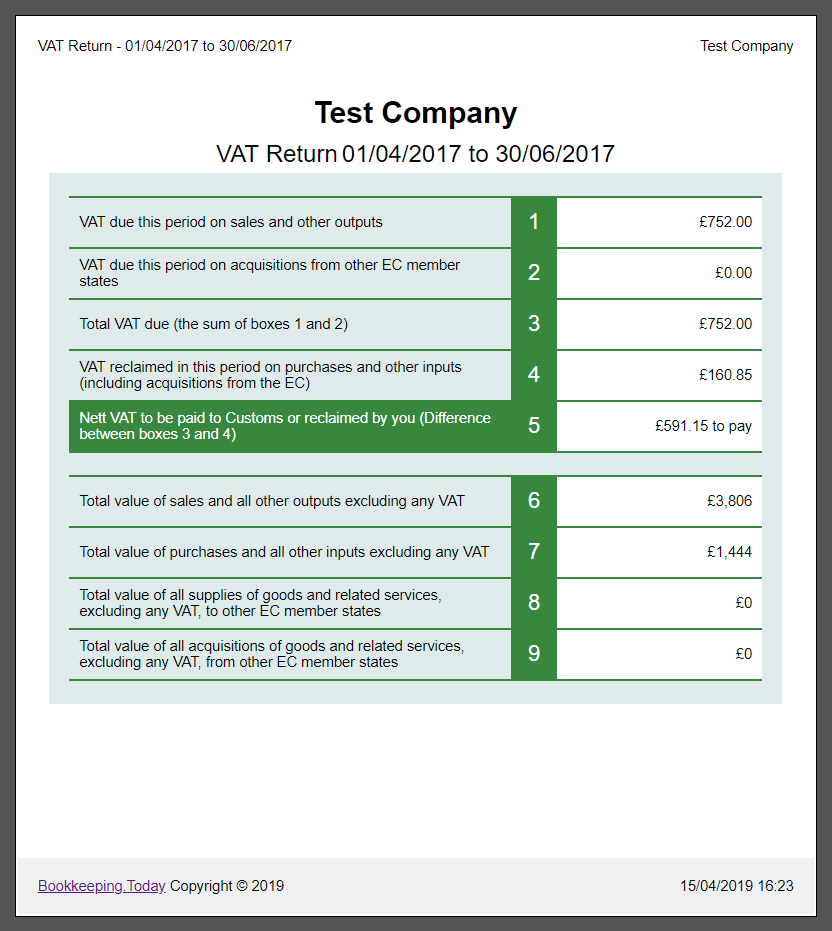
You can see that this Bookkeeping.Today VAT return matches the VAT-Books VAT return If your situation is more complex, such as if you have intra-EC zero rated transactions, you may need to add a couple more transactions to Bookkeeping.Today. The important thing is to make sure the two VAT returns match exactly! You can contact me if you have trouble dong that.
So now we have the correct figures for a VAT return we can go to the MTD VAT Return page and submit it to HMRC.
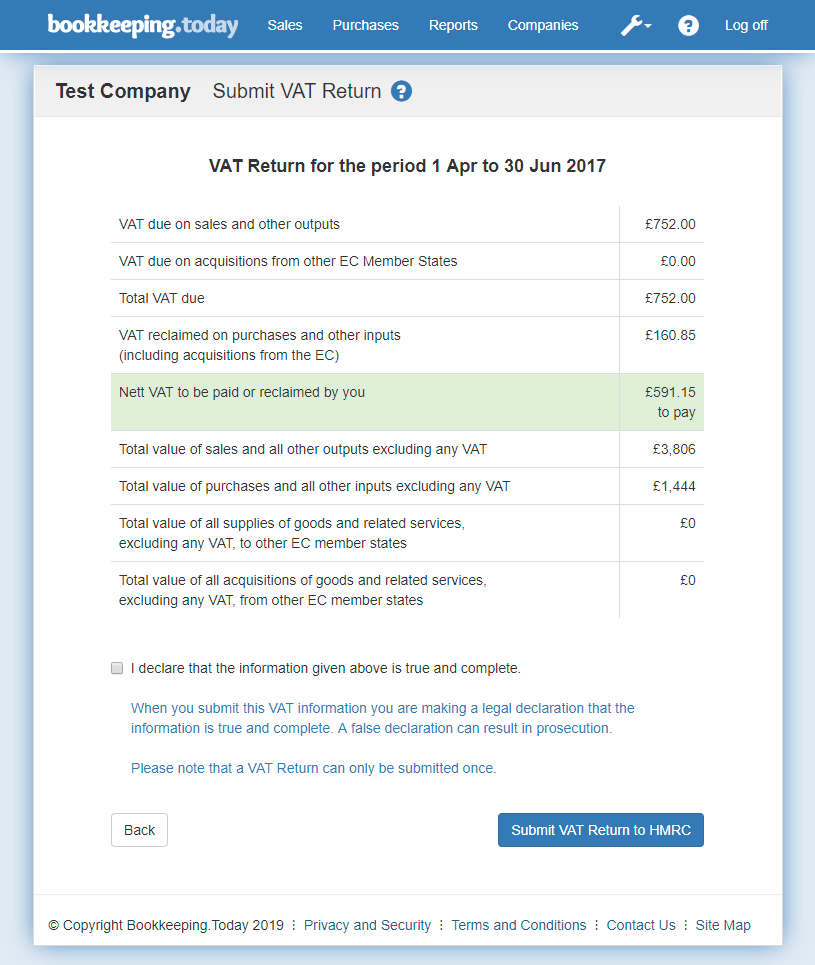 You should check the numbers again, tick the declaration box, and click the button to complete the submit.